At a glance
Kyoto Unknown is a free iOS app with four tabs: Discover, Map, Saved, and More, plus a Budget Planner and a Kyoto-ben Phrasebook. Browse places by mood (“Coffee & Slow Time”, “Off the Path”, “Evening Out”) or by zone. Everything is hand-picked by Kyoto residents. No ads, no reviews, no account, no tracking. This guide walks through every tab so you get the most out of the app.
Discover: the main screen
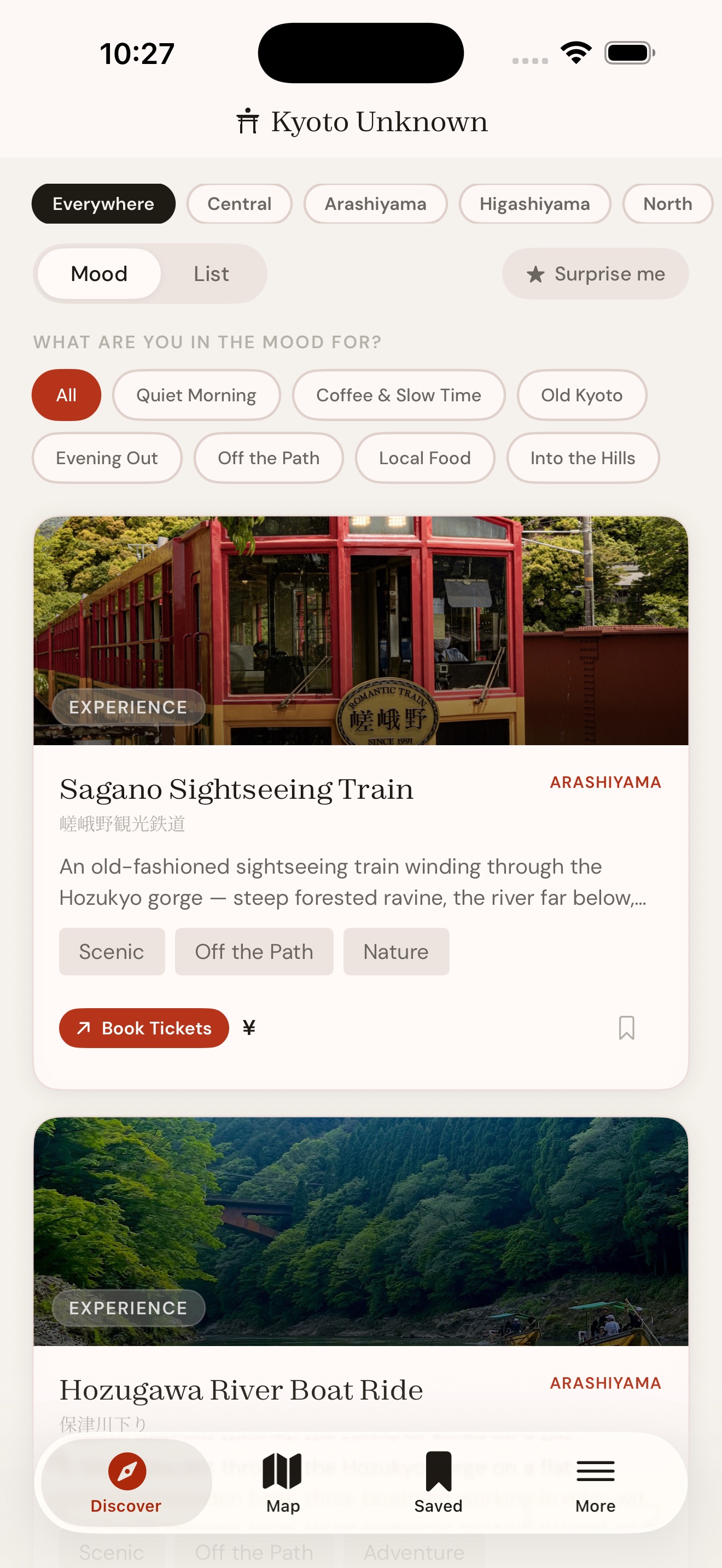
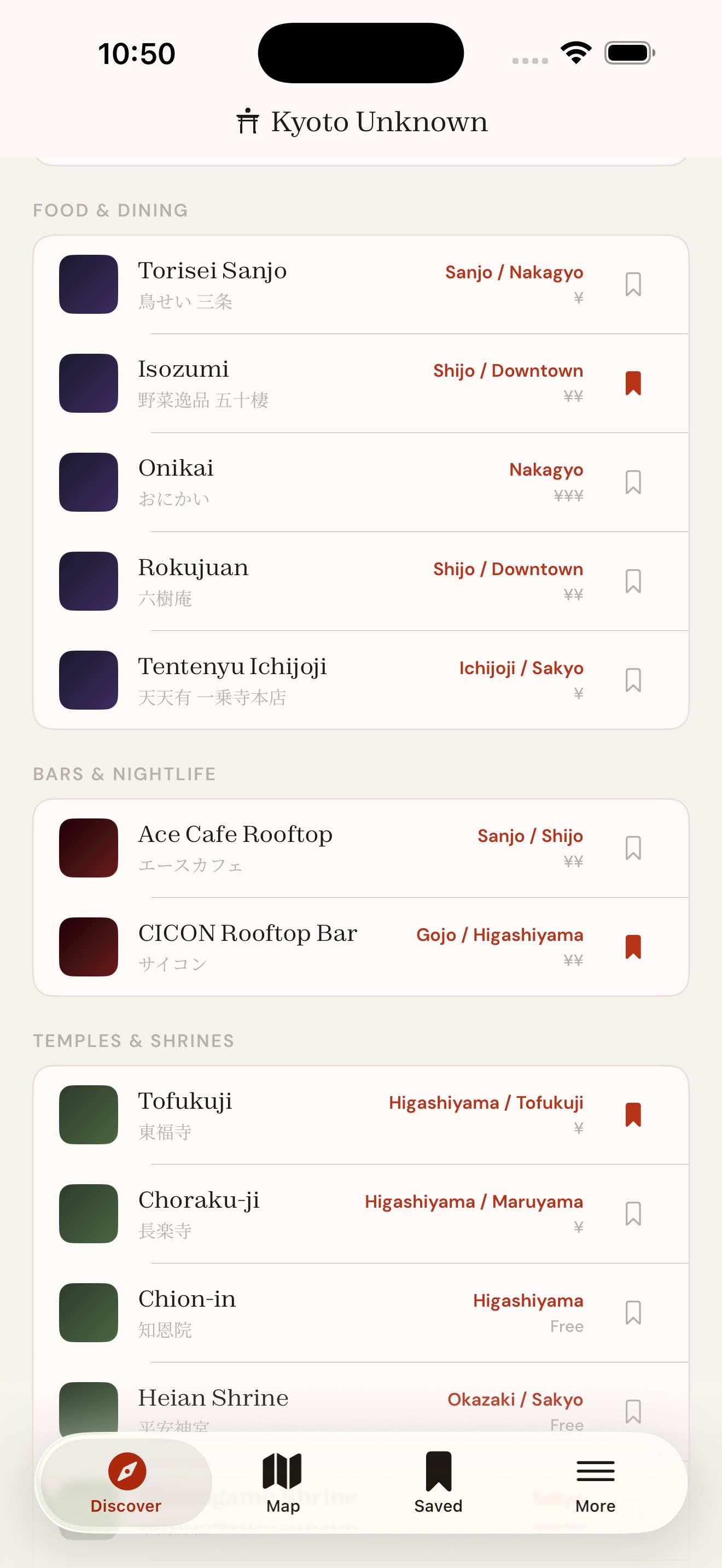
Discover is Kyoto Unknown’s main screen, where every place in the app lives. There are two ways to browse, and both can be filtered by zone.
Mood view
Mood view asks a question: what are you in the mood for? Tap “Coffee & Slow Time” and the list filters to the city’s best specialty coffee spots. Tap “Evening Out” for bars and nightlife. “Old Kyoto” for the temples and shrines with centuries behind them. “Into the Hills” for the places that get you out of the city centre and into the landscape. “Local Food” for the restaurants that Kyoto-jin actually eat at. “Off the Path” for places that don’t appear in the guidebooks at all.
List view
List view groups everything by category instead: Cafe & Coffee, Food & Dining, Bars & Nightlife, Temples & Shrines, Experiences. Each place shows its area, price level, and a bookmark icon so you can save it without opening the card.
Zone filters
Swipe the pills at the top of either view to narrow things down to Central Kyoto, Arashiyama, Higashiyama, North, or Fushimi. Or leave it on “Everywhere” and browse the full list.
”Surprise me”
The “Surprise me” button picks a random place from whatever filters you have active. Useful when you have a free afternoon and no plan, which is usually when the best things in Kyoto happen.
Place cards: what’s on them
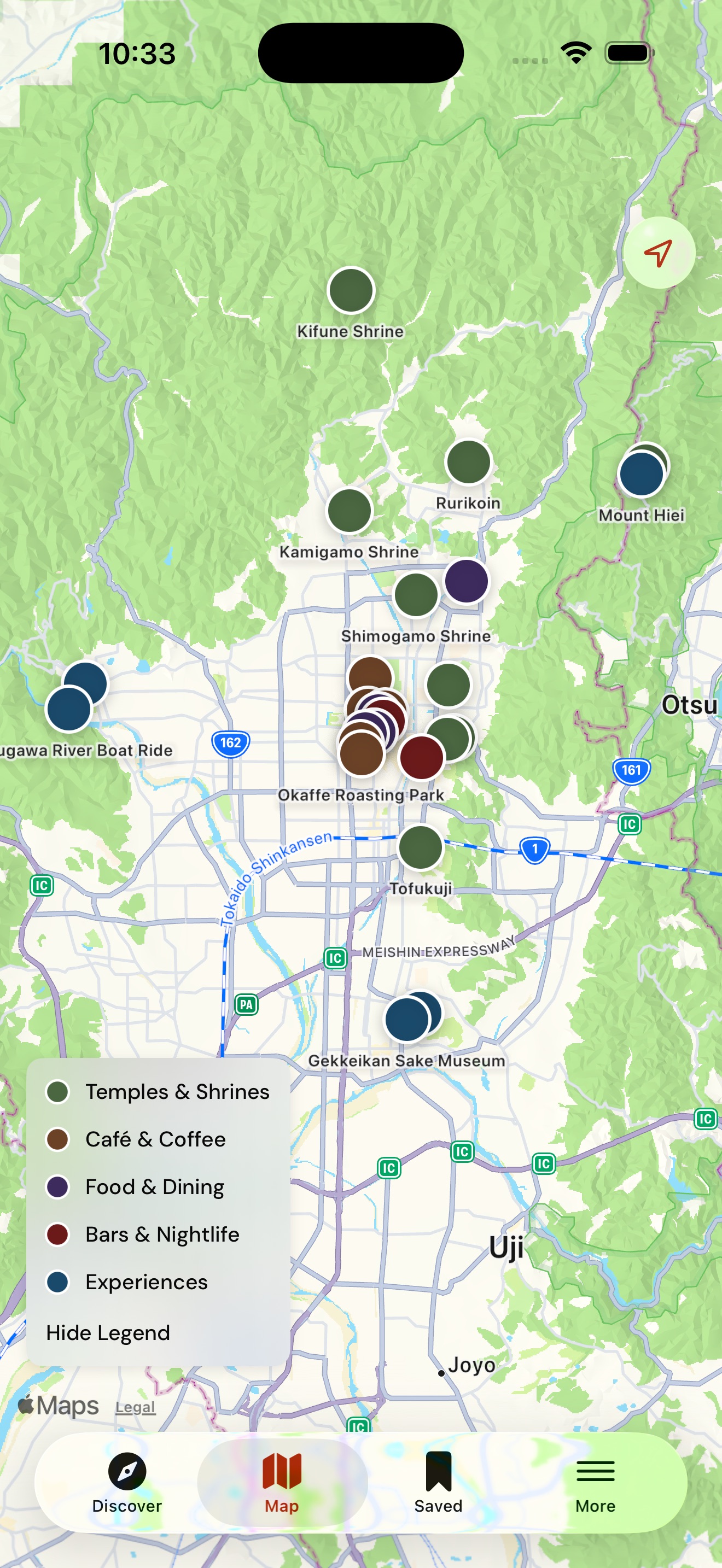
Tap any place and you get the full picture. A photo at the top, the name in English and Japanese, mood tags, and a description written by locals who actually go there. Below that is a “Why this?” section that explains specifically what makes this place worth your time, not just what it is but why it was chosen.
Then the practical details: estimated price range per person, the best time to visit, and how to get there. Some places have seasonal opening warnings, flagged clearly so you don’t turn up to a locked gate. If a place takes reservations, there’s a booking link. If it doesn’t, there isn’t. We only include what’s actually useful.
Every card has a “Get Directions” button that opens in Apple Maps or Google Maps, your choice. You set your preference once in the app and it remembers. There’s also a “View on Map” button that drops you into the map tab centred on that place, and an “Add to Collection” button for building your own lists.
At the bottom of each card, you’ll see nearby places. If you’re already at Choraku-ji, the app knows that Chion-in is a short walk away. This is how day itineraries build themselves naturally.
Map: every place, colour-coded
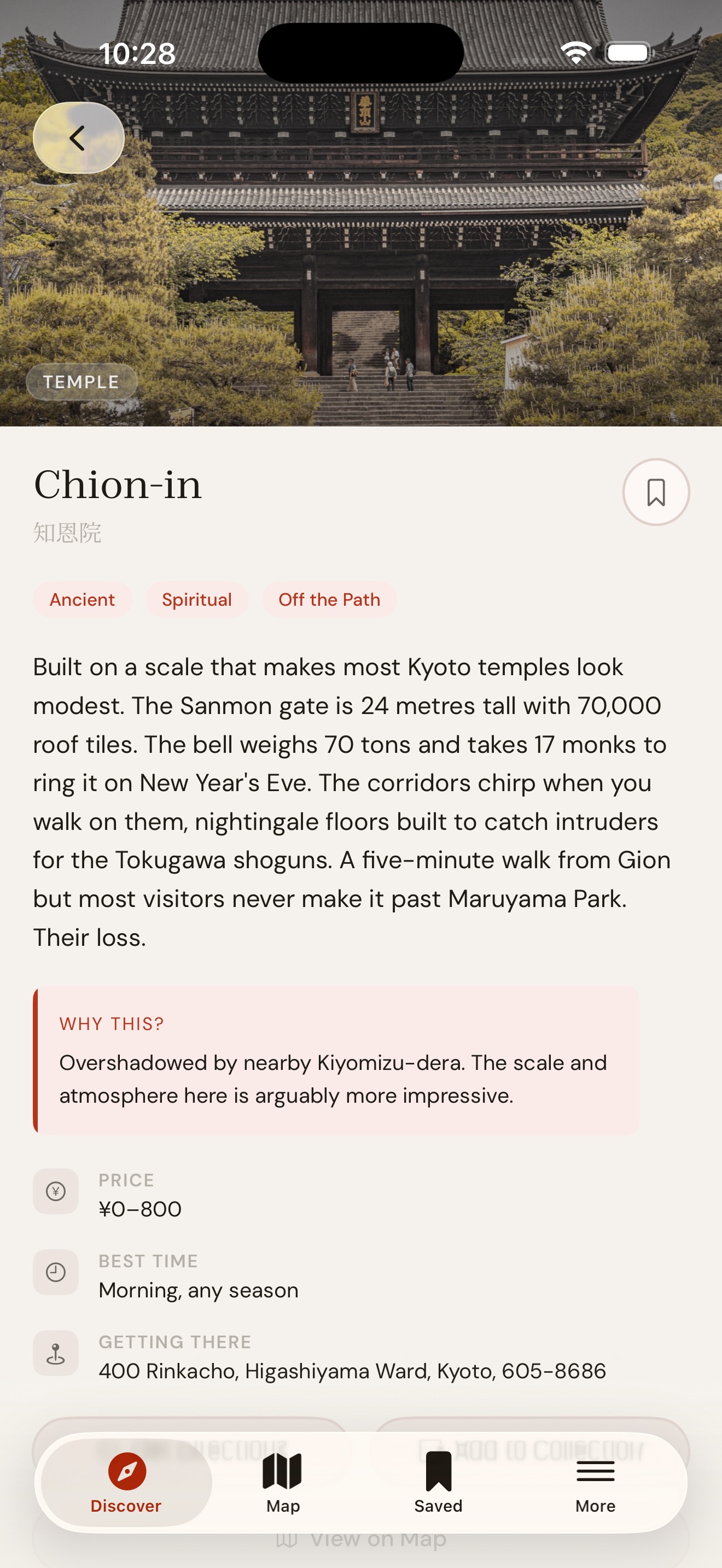
The Map tab shows every place in Kyoto Unknown on a single map, colour-coded by category. Temples and shrines in green. Coffee spots in brown. Food in purple. Bars in red. Experiences in blue. Tap any pin for a quick summary, tap again to open the full card.
The map has an interactive legend. If you’re specifically looking for coffee, tap to hide everything else. If you want to see what’s near your hotel, zoom in and see what pins appear. The idea is to give you spatial awareness of the city without needing to stare at a screen. Check it once in the morning, get your bearings, put the phone away.
Saved: collections, bookmarks, your lists
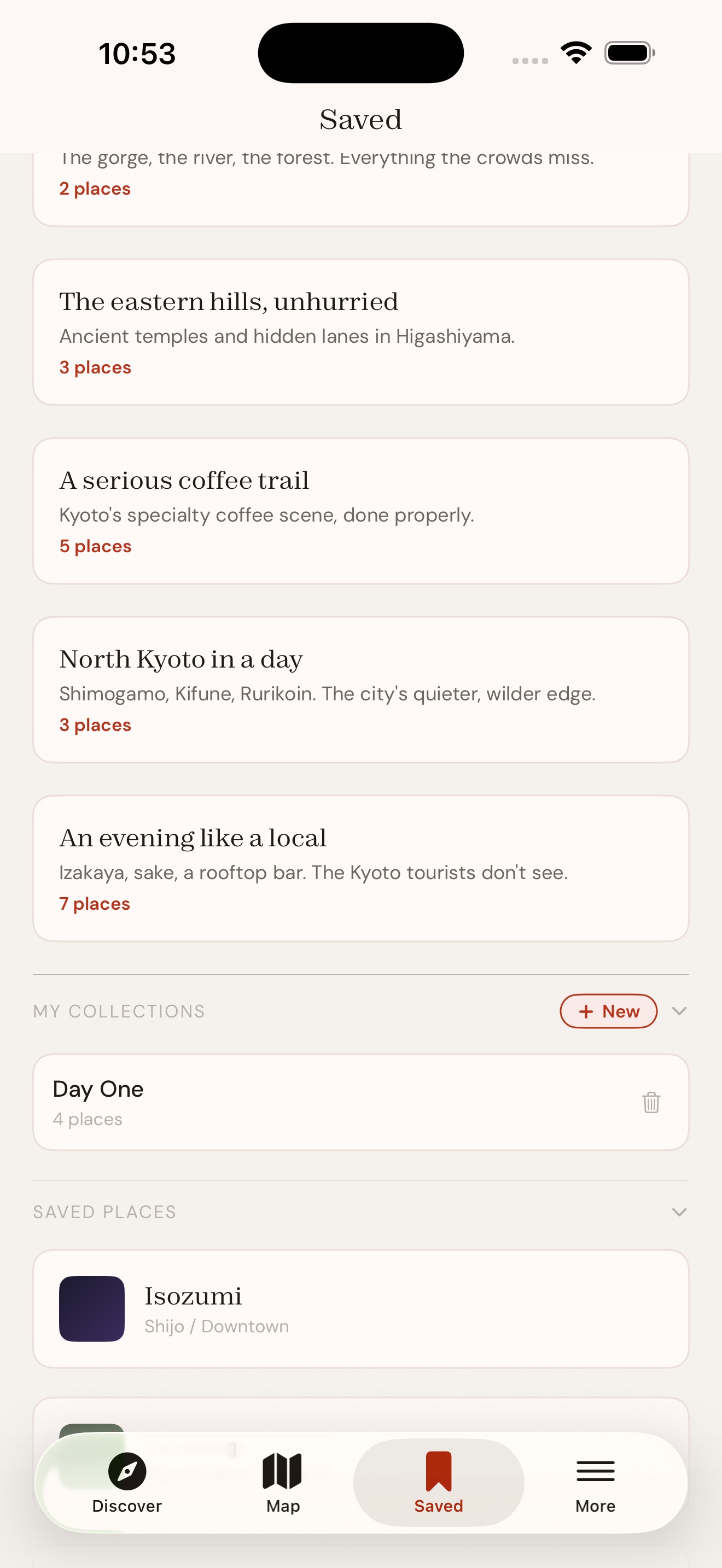
The Saved tab has three sections: curated collections, your own lists, and bookmarked places.
Curated collections
These are routes and themes we’ve put together. “Arashiyama beyond the bamboo” takes you past the crowds and into the gorge. “A serious coffee trail” connects the city’s best specialty spots. “The eastern hills, unhurried” is a morning in Higashiyama without the tourist pace. “North Kyoto in a day” is Shimogamo, Kifune, and Rurikoin. “An evening like a local” is izakaya, sake, and a rooftop with a view.
My Collections
This is where your own lists live. Create as many as you want. Building a collection for each day of your trip is one way to use it. Building one by mood or neighbourhood is another.
Saved Places
The simplest version: a flat list of everything you’ve bookmarked. Quick, no structure, just a shortlist.
Everything is stored on your device. Nothing syncs, nothing uploads, nothing requires an account.
Budget Planner
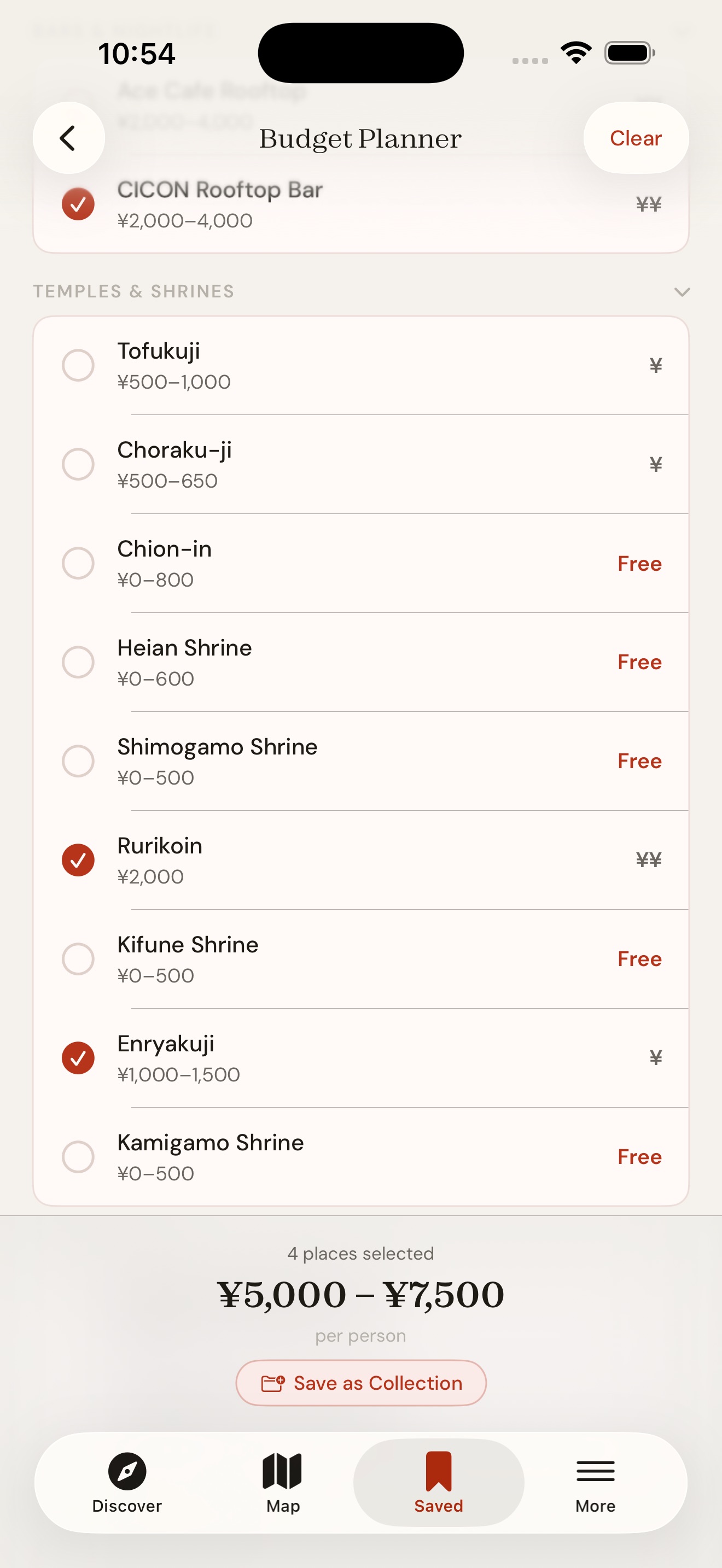
The Budget Planner, found under the More tab, shows estimated costs per person for every place in the app. Tap the places you’re planning to visit and the total updates at the bottom. Filter by category if you’re only budgeting for food or only for temples.
It’s a rough guide, not an invoice, but it gives you a realistic sense of what a day in Kyoto costs before you get there. If your selection looks like a good day out, save it as a collection directly from the planner. It flows straight into your Saved tab.
More: Kyoto festivals, travel tips, and phrasebook
The More tab is where everything beyond places lives.
Kyoto Festival Calendar
The festival calendar covers the four major events: Aoi Matsuri in May, Gion Matsuri in July, Gozan no Okuribi in August, and Jidai Matsuri in October. Each one has dates, a description, and a recommended spot to watch from, written by people who’ve been going for years.
Kyoto Tips
Practical tips covering transport, money, etiquette, weather, shops, and food. Written for people who haven’t been before but want to move through the city without feeling lost. Things like which ATMs accept foreign cards, why you should rent a bicycle, where the locals actually shop, and what to do if someone in Gion is in traditional dress.
Kyoto-ben Phrasebook
Eight essential Kyoto dialect words and phrases. Kyoto-ben is softer, more polite, and quite different from standard Japanese. The phrasebook shows each word in Japanese, romaji, and what it means in context. Say “ookini” instead of “arigatou” and watch the reaction. Ask “nanbo” instead of “ikura” at a market stall and watch the smile.
Appearance: five seasonal themes
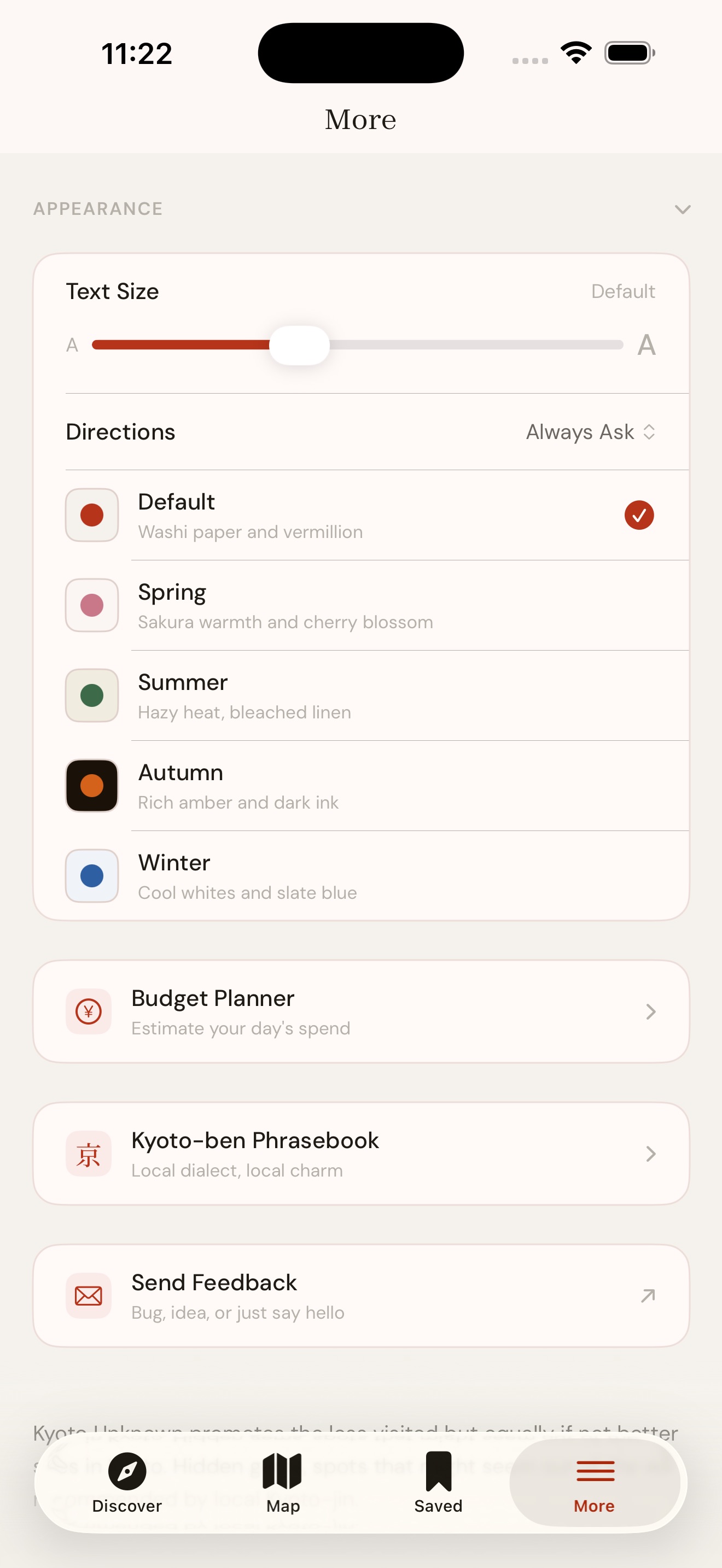
Five seasonal themes change the entire look of the app. Default is washi paper and vermillion. Spring is sakura warmth and cherry blossom. Summer is hazy heat and bleached linen. Autumn is rich amber and dark ink. Winter is cool whites and slate blue.
Pick the one that matches the season you’re visiting, or just the one you like. You can also adjust text size and set your preferred maps app for directions.
What Kyoto Unknown doesn’t do (intentionally)
There are no ads. No star ratings. No user reviews. No login. No tracking. No algorithm deciding what you see. The list is finite and curated. Every place is there because someone who lives in Kyoto thought it was worth your time.
We think curation works better than crowdsourcing. A three-star average tells you nothing about whether a place is right for you on a quiet Tuesday afternoon. An opinionated recommendation from someone who actually goes there tells you everything.
What makes Kyoto Unknown different
| Google Maps | Lonely Planet | TripAdvisor | Kyoto Unknown | |
|---|---|---|---|---|
| Hand-picked by locals | No | Partially | No | Yes |
| Filters by mood | No | No | No | Yes |
| No ads | No | Partially | No | Yes |
| No account required | No | Yes | No | Yes |
| Works offline | Partially | Yes | No | Yes |
| Budget planner | No | No | No | Yes |
| Kyoto-ben phrasebook | No | No | No | Yes |
| Crowd-aware recommendations | No | No | No | Yes |
Planning a trip during a busy period? Our Golden Week guide shows exactly which places stay quiet when the rest of Kyoto is overwhelmed — and every one of them is in the app.
Looking for evening recommendations? Kyoto After Dark — rooftop bars, izakaya, jazz bars, and late-night spots chosen by locals.
Frequently asked questions
Is Kyoto Unknown free? Yes. Free on the App Store with no subscription, no in-app purchases, and no ads. It costs nothing to download and nothing to use. That’s permanent, not a trial.
Does Kyoto Unknown work offline? All place cards, descriptions, collections, the budget planner, tips, the festival calendar, and the phrasebook work without an internet connection. The map needs a connection to load tiles, but you can browse, plan, and read every detail about every place without one.
Do I need to create an account? No. There is no login, no sign-up, no email required. Everything is stored locally on your device. We never see your data because there is no data to see.
Is Kyoto Unknown available on Android? Currently iOS only. Android is coming in autumn 2026. Want to know when it’s ready? Email us at admin@kyotounknown.com and we’ll let you know.
How is Kyoto Unknown different from Google Maps? Google Maps shows everything: the restaurant rated 4.2 with 3,000 reviews and the quiet local izakaya with no reviews at all. Kyoto Unknown is the opposite. A finite, hand-picked list of places locals actually go, organised by mood. No star ratings. No review wars. Just the shortlist a knowledgeable friend would give you.
Who picks the places? Kyoto residents who live in the city and go to these places themselves. Not travel writers passing through, not expats with a blog. Every card has a “Why this?” section explaining the editorial reasoning behind its inclusion.
How often is Kyoto Unknown updated? We review seasonal openings and add new places with each app update. Expect new content aligned with the seasons.
Is the app suitable for first-time visitors? Yes. The Kyoto Tips section covers transport, money, etiquette, and weather for first-timers. The curated collections and mood filters help you plan without being overwhelmed. The Budget Planner gives you a realistic sense of costs. And the places themselves are chosen to be accessible, not obscure for the sake of it.
Download Kyoto Unknown
Free on the App Store. No account, no ads, no tracking.
Download free on the App Store →
Related reading
- Kyoto After Dark — rooftop bars, izakaya, jazz bars, and late-night spots chosen by locals. Many of them are in the app.
- Golden Week in Kyoto 2026 — where the crowds go and where they don’t.
- Aoi Matsuri 2026 — Kyoto’s oldest festival on May 15, and the two shrines most visitors never see.
- Sagano Train & Hozugawa River Boat — the best day trip in Kyoto.
- Why we built Kyoto Unknown — the thinking behind the app.
- How to Explore Kyoto on Your Own — the case for independent travel, with 2/3/5-day itineraries built around the app.
Need help? Contact us →